The Dossier
This is what the name means.
Found a hard puzzle in a newspaper, on a website, in a friend's screenshot — one that beat you? Bring it in. Tap it onto a grid or paste the 81-character string (the app reads the standard format and three others used across the Sudoku web). It checks the puzzle has exactly one solution, classifies it against the same 79-technique solver that drives the built-in packs, and lands it in your Dossier — your personal collection.
Demo video coming soon
A 30-second capture: copy a puzzle from a newspaper photo → paste → classified ("Tier 5 — Naked Pair, X-Wing, Swordfish") → tap Play → the board opens with the Train button.
Every import is a first-class citizen
Play
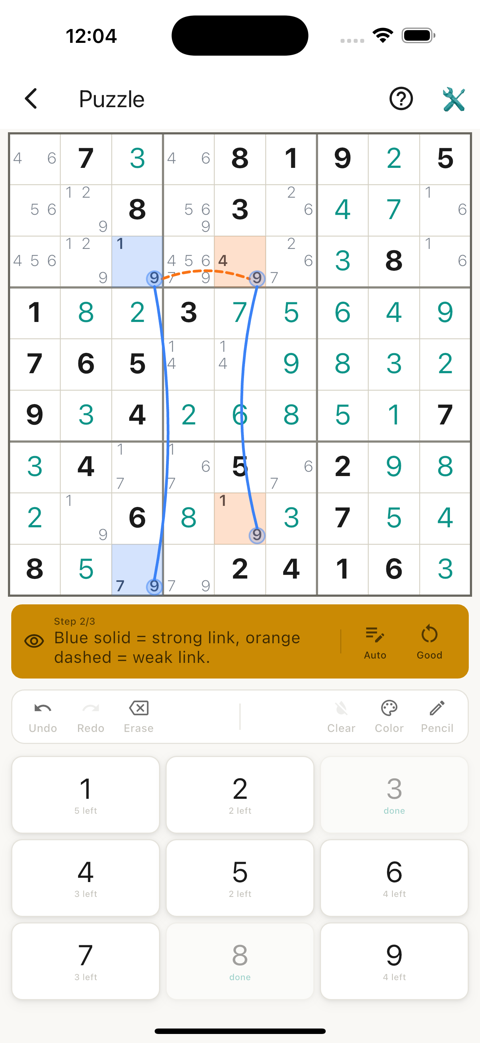
Opens in the board with the full Train hint sequence, per-candidate color marking, and drawable strong/weak chain links — the same machinery as the built-in packs. Nothing is degraded for an import.
How to Solve
Study the optimal path frame-by-frame before you attempt it. Pre-attempt study is unusual — most apps only offer post-solve review.
Play Variation
Replay your import as a fresh-looking board, again and again. Same logic, new arrangement — practice the pattern, not your memory of where the digits went.
Organize
Move imports into folders. The collection grows over time; folders keep it from becoming an undifferentiated list.
No other consumer Sudoku app teaches imported puzzles with the same machinery as its first-party content. Bring the puzzle that beat you. We'll teach it.